Chat Interface
The Chat interface is where you interact with Orion. Your conversations are organized by project, so each project has its own chat history and context.Starting a Conversation
Simply start typing to begin a new conversation with Orion. Each conversation can reference previous conversations in the same project, and Orion will remember project-specific information and your preferences.Referencing Content with @
Type@ in the chat input to reference something that already exists in the project. The reference inserts a chip with the item’s exact name, so Orion does not have to guess which item you mean.
The @ has to start the message or follow a space. With nothing typed after it, the menu opens on the category list:
A category stays in the list even when it holds nothing, so opening an empty one shows “No matching references.”
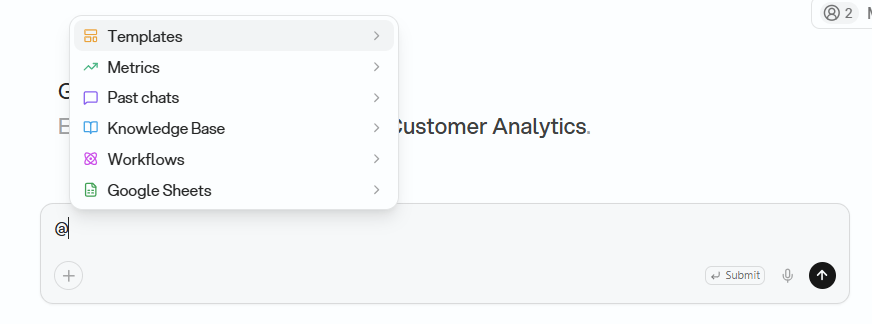
Illustrative. Demo data.
@ to search every category at once. Matching is case-insensitive against the name, and results stay grouped by category, at most ten per category. The menu searches recent items, not the full history of the project.
One category changes what Orion does. Referencing a template tells Orion to build the deliverable with that template.
The menu is built for the keyboard:
- Arrow Down and Arrow Up: move the highlight
- Arrow Right: open the highlighted category
- Arrow Left: return to the category list, before you type anything
- Enter or Tab: take the highlighted entry
- Escape: close the category, then close the menu
In a room, the menu offers Orion as one more entry. That mention
addresses Orion rather than referencing content: see Rooms.
Chat History
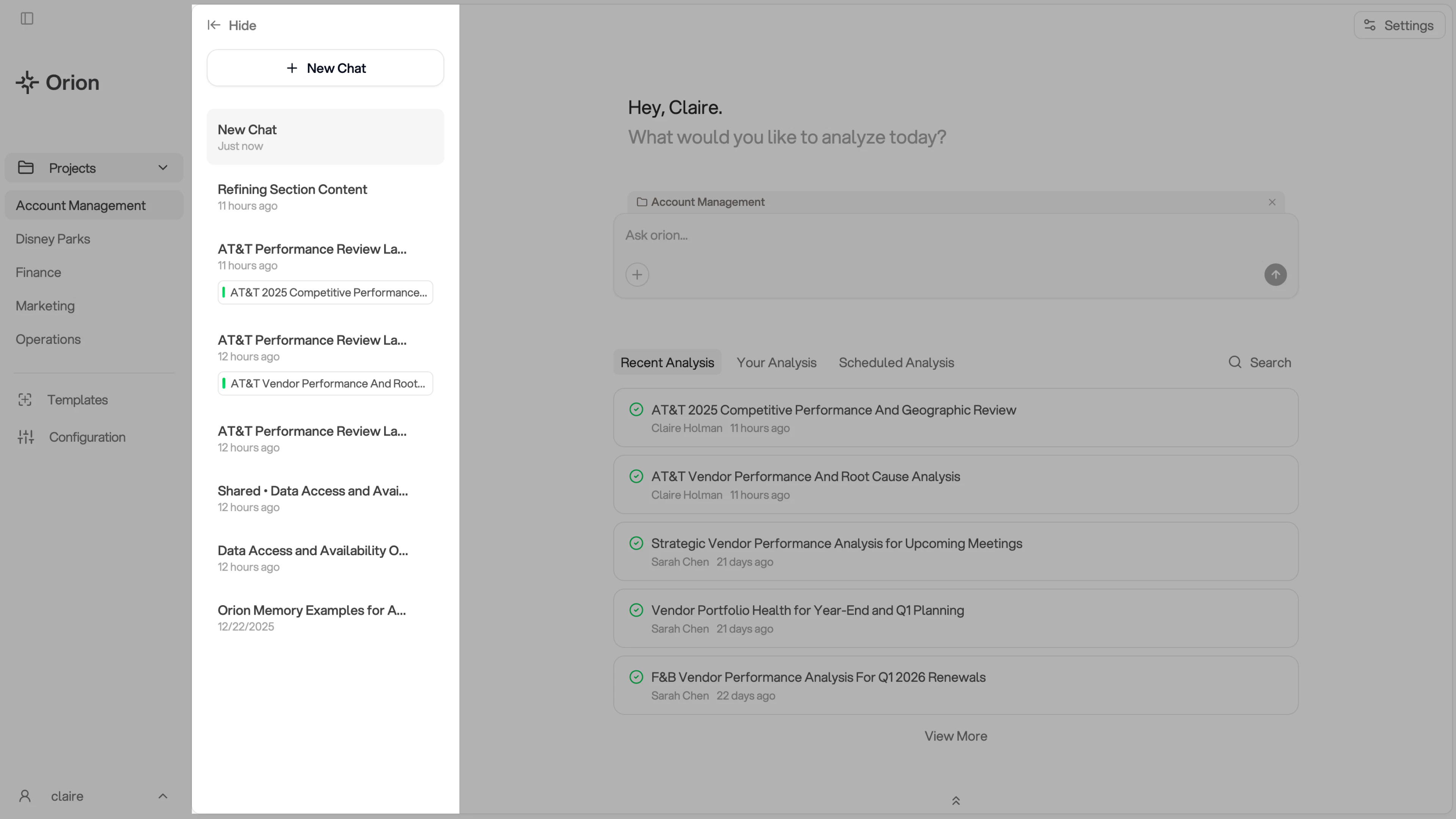
Your chat history appears in the sidebar on the left side of the Chat interface. All your previous conversations are saved and easily accessible. The chat history sidebar shows:- A + New Chat button at the top to start a new conversation
- Your recent conversations, organized chronologically with timestamps
- Conversation titles and related analysis tags
- The ability to hide or show the sidebar using the ← Hide button
Sharing Conversations
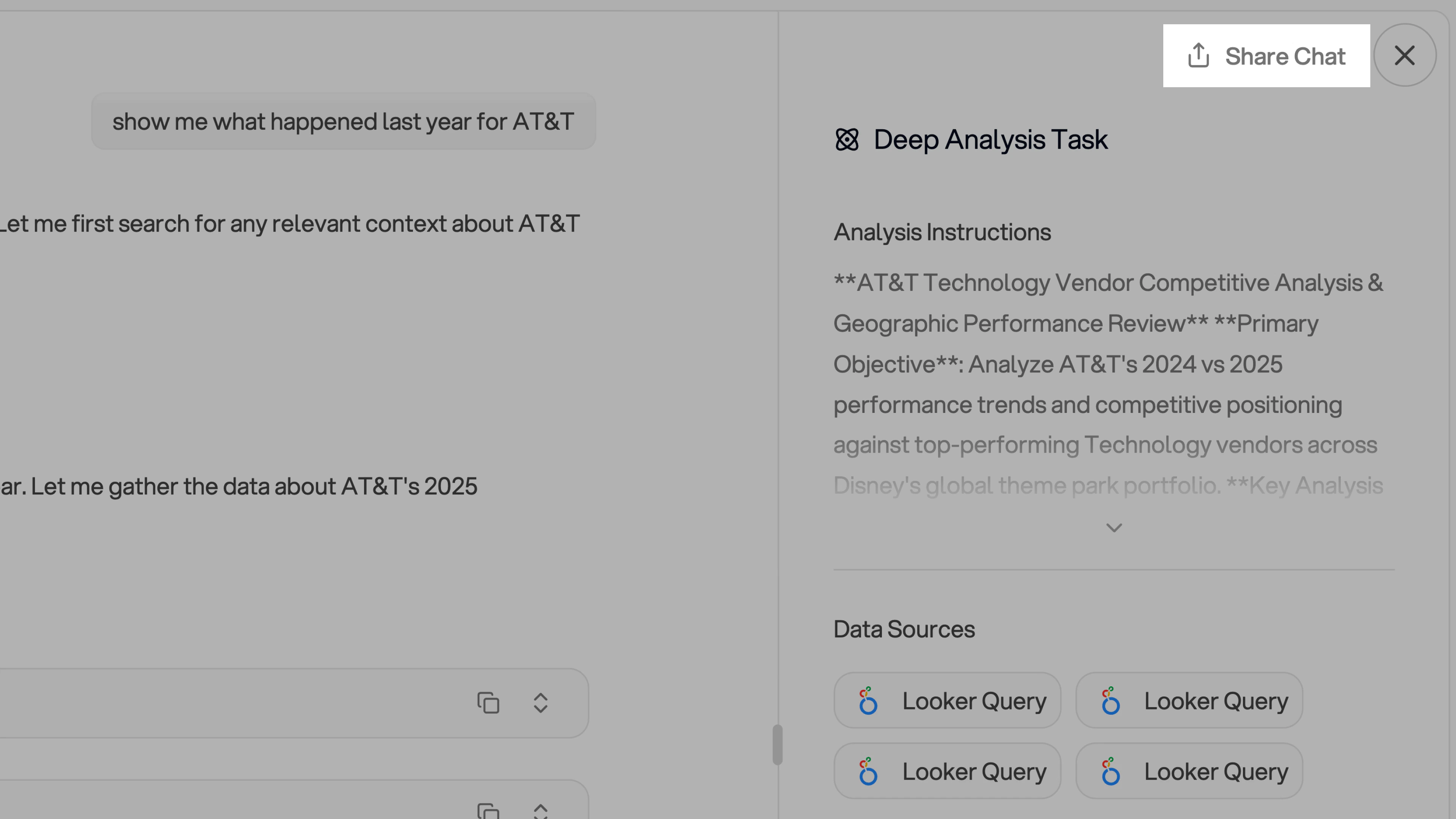
Use the Share Chat button at the top of the chat interface to share conversations with your team. For more details, see our Share Chat Conversations guide.