

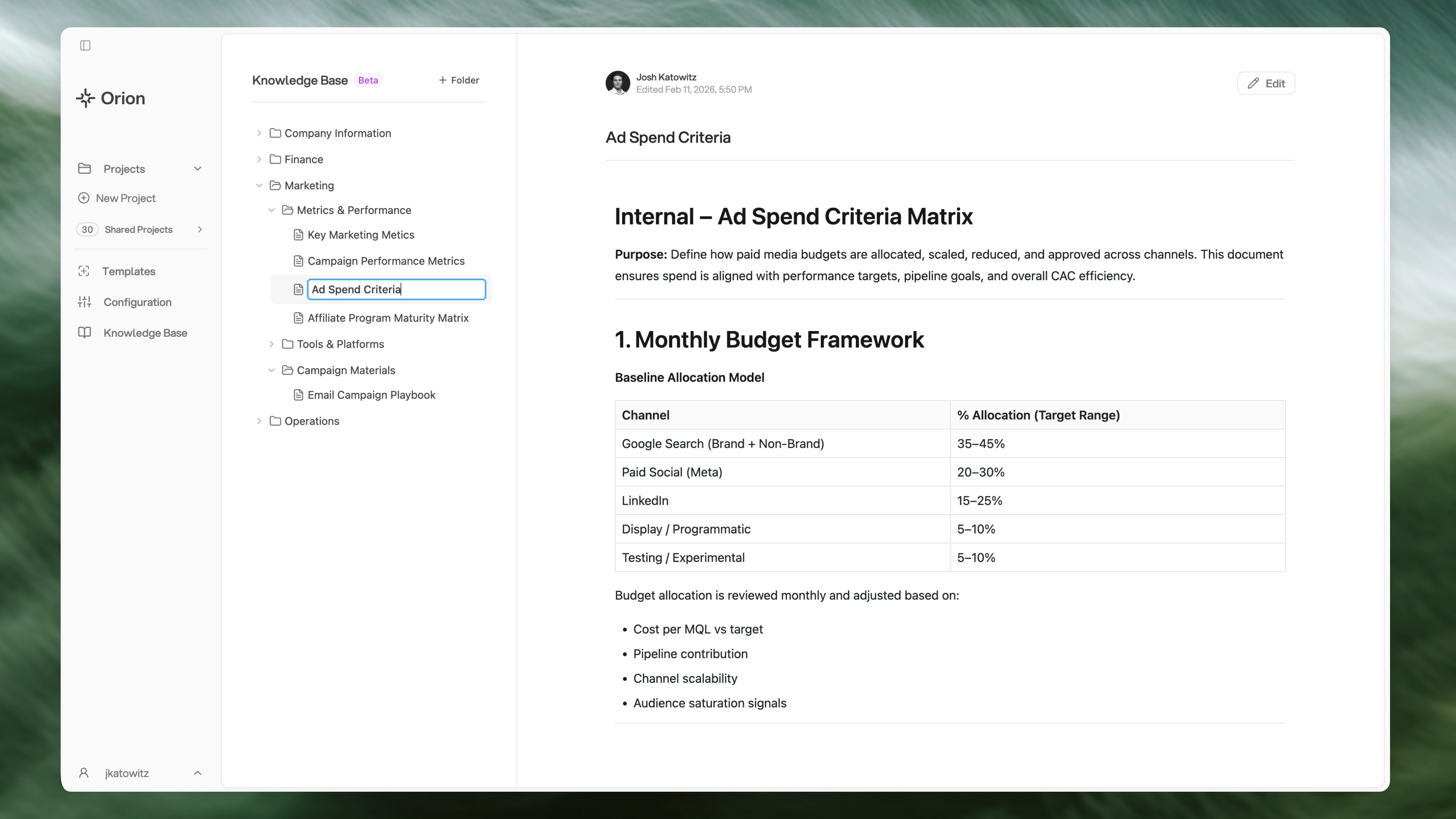
The Context editor
What Are Context Pages?
Context pages use a wiki-style file and folder structure. They provide a single source of truth for:- Company Context - Information about your organization, industry, and business rules
- Metrics & Definitions - How your company defines key metrics and terminology
- Standard Operating Procedures (SOPs) - Step-by-step processes and workflows
- Analytical Methods - How to perform certain analyses, calculations, and methodologies
- Product Documentation - Details about your products, services, and features
- Guidelines & Best Practices - Standards and recommendations for your team
How Orion Uses Your Context Pages
When you enable Context pages for a project, Orion will:- In Chat - Use that context for better answers and analysis throughout your conversation
- In Deliverables - Include small in-line source citations in reports, slide decks, and dashboards for wiki pages that were referenced
- In Updates - Accept suggestions to update wiki pages with new information
Organization
It’s recommended that you create folders based on how your company normally organizes information, such as by department, and then within that, by certain use cases, activities, or scopes. Example structure:Key Features
Wiki-Style Organization
Organize content in nested folders (up to 3 levels deep) that mirror your
company structure
Markdown Editor
Create and edit pages using a markdown editor with live preview
File Uploads
Upload spreadsheets, text files, and documents that automatically convert to
pages
Drag & Drop
Reorganize pages and folders by dragging them around
Revision History
Track changes and see who updated pages and when
Project Integration
Enable specific pages for projects to keep Orion focused on relevant context
Getting Started
To get started with Context pages:- Go to Context in the left-hand navigation menu, then open Pages Overview
- Create your first folder or page
- Organize your content into folders that match your company structure
- Enable pages for projects that should have access to them
Context Pages vs. Project Files
The key difference between Context pages and project file uploads:- Context pages - Designed for structured, concise context (metrics, definitions, procedures, guidelines) that Orion uses throughout chat and analysis
- Project file uploads - Designed for long-form, unstructured documents like dense PDFs with images, charts, and complex text
Next Steps
Creating Pages
Learn how to create and manage Context pages
Best Practices
Tips for writing effective Context pages
Projects
Connect Context pages to your projects
File Uploads
Learn when to use file uploads vs. Context pages